Inside the Audit (01/12): The Big Picture

What Happens When You Paste a URL
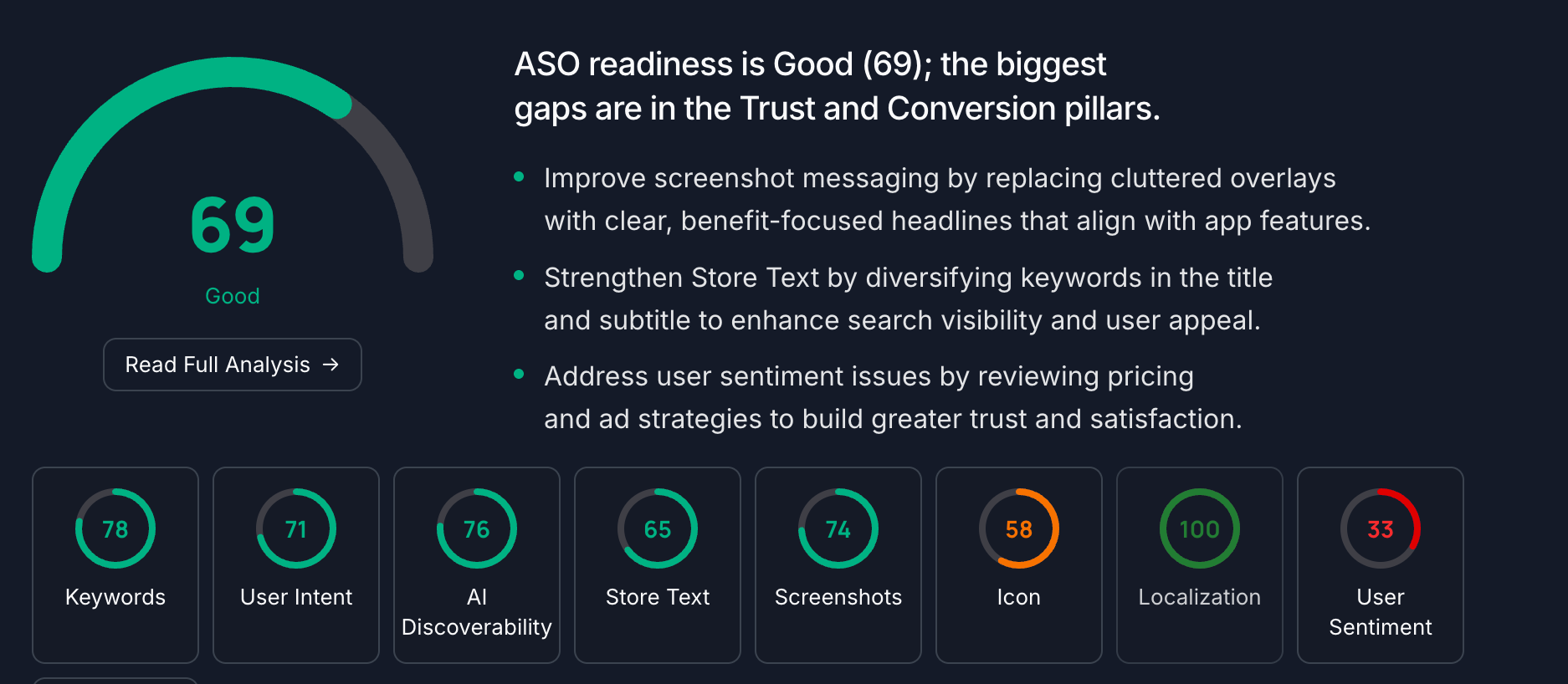
You paste an App Store or Google Play URL. About a minute later, you’re looking at an ASO Readiness Score backed by ten specialized analysis engines, expert-crafted prompts, and data from multiple external sources.
That minute is doing a lot of work. This post explains exactly what.
We’re writing this because the ASO tool market has a credibility problem. Too many platforms present a single score with no explanation of how it was derived, what data informed it, or why you should trust it. We think you deserve to know what’s under the hood, especially when you’re making optimization decisions based on the output.
The 10 Engines
Every Apptonomy audit runs ten engines in parallel. Each engine is purpose-built for a specific dimension of app store optimization. They share data where relevant, but each produces its own independent analysis.
1. Keyword Engine
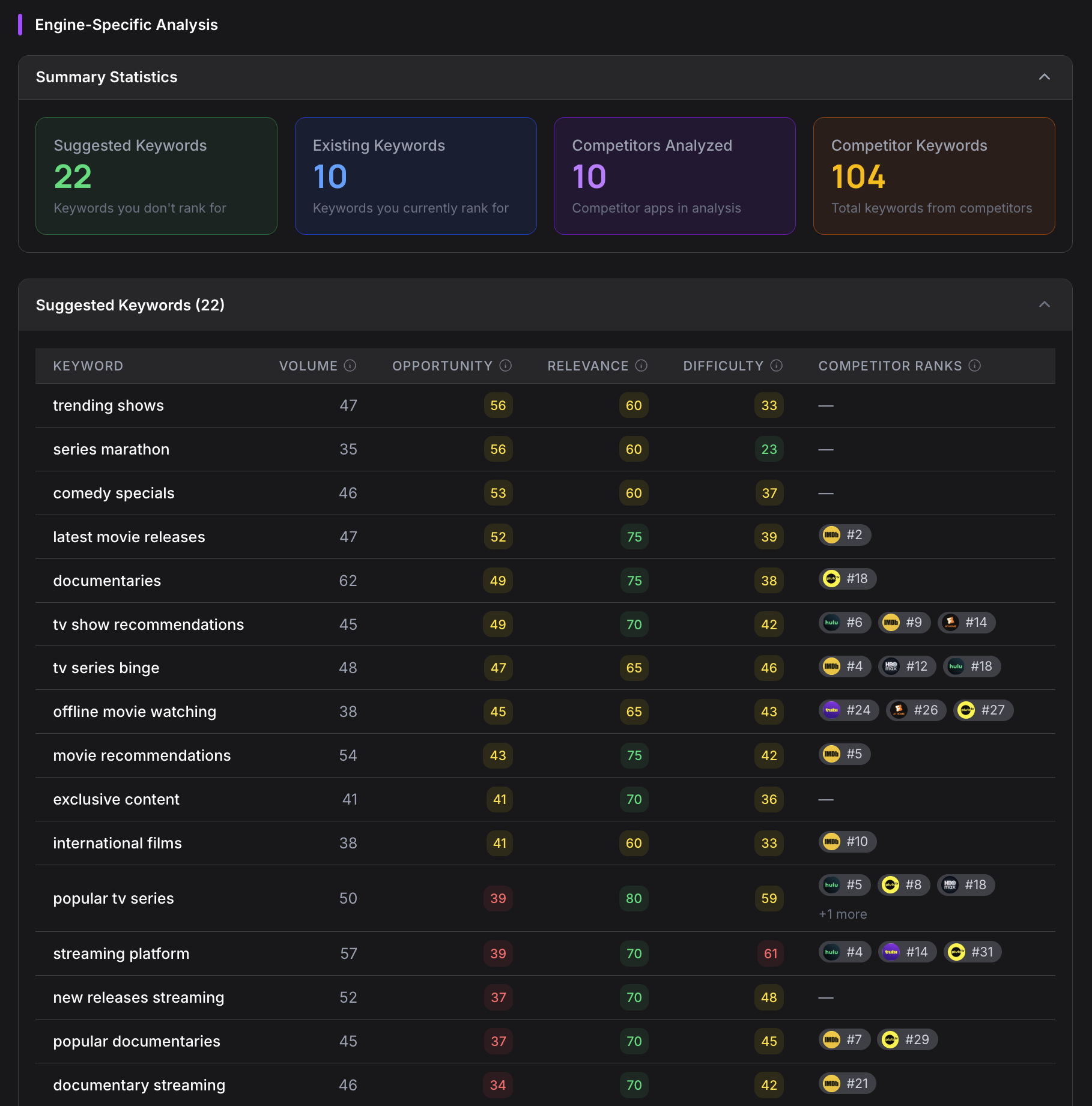
The Keyword Engine performs multi-layer keyword analysis, comparing your listing against ten competitors simultaneously.
It runs dual extraction: first pulling literal keywords from your metadata, then using AI to infer contextual keywords your listing implies but doesn’t explicitly state. Every keyword candidate is then scored across four dimensions (volume, difficulty, relevance, and momentum) using data from Apptonomy’s internal Keyword Service, which aggregates upstream signals from Google Ads search volume, Apple Search Ads popularity metrics, and live store search rankings.
The result is up to 70 prioritized keyword suggestions per audit, each with a clear rationale for why it matters to your specific listing.
2. Storetext Engine
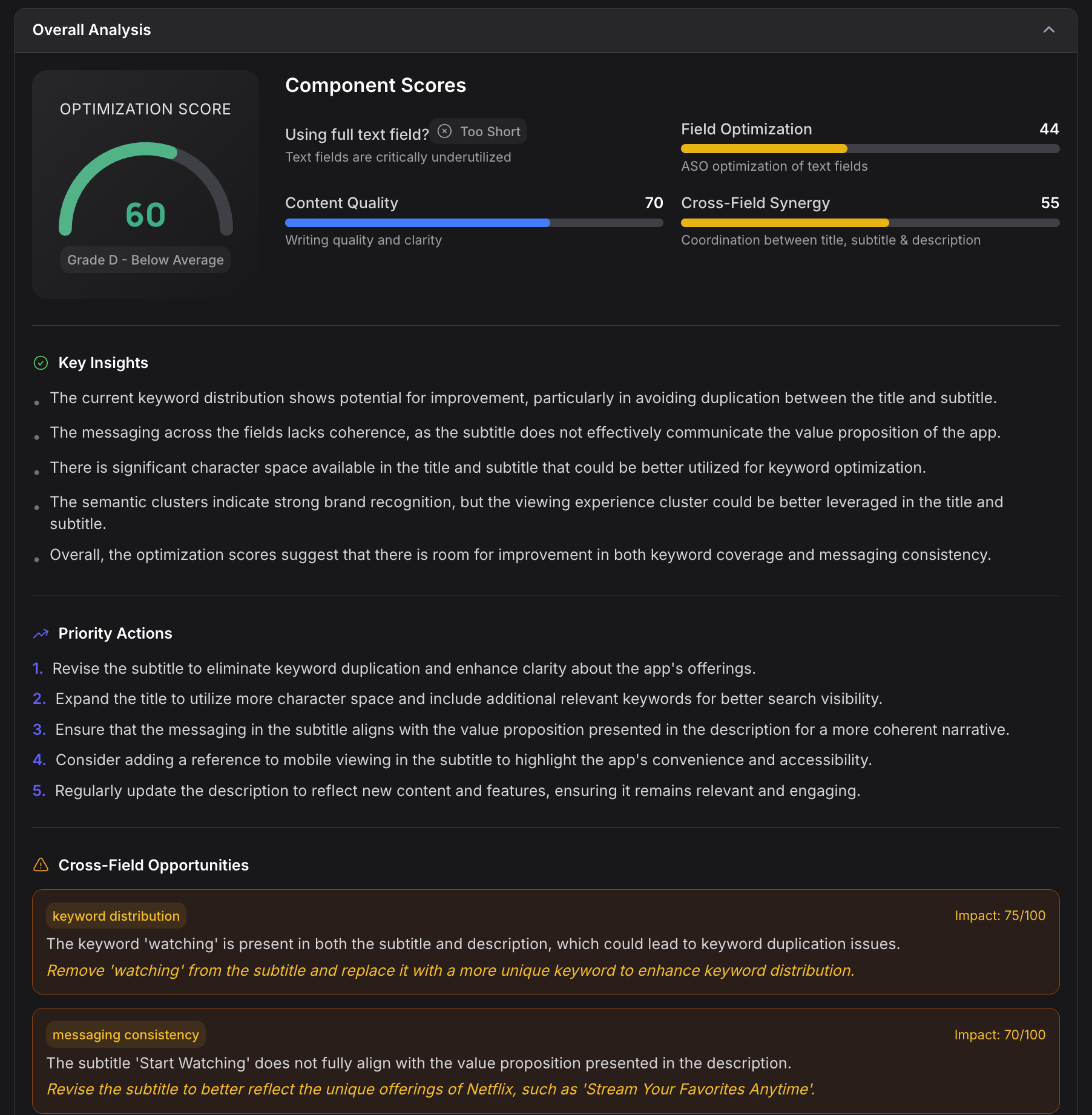
The Storetext Engine performs semantic analysis across every text field in your listing: title, subtitle, description, keywords, promotional text, and release notes.
Each field receives an optimization score from 0 to 100. But the real value is in the why. The engine clusters your keywords by user intent using semantic analysis, revealing whether your listing speaks to the right search motivations or just stuffs terms without strategic coherence.
For every field, it generates three alternative rewrites:
- Conservative: minimal changes, maximum safety
- Keyword-optimized: aggressive keyword integration
- Creative: fresh positioning angle
It also runs cross-field coherence analysis, catching the surprisingly common problem of a title that promises one thing, a subtitle that implies another, and a description that delivers neither.
3. Screenshot Engine
Most ASO tools skip screenshots entirely. We built a dedicated vision-AI pipeline to analyze them.
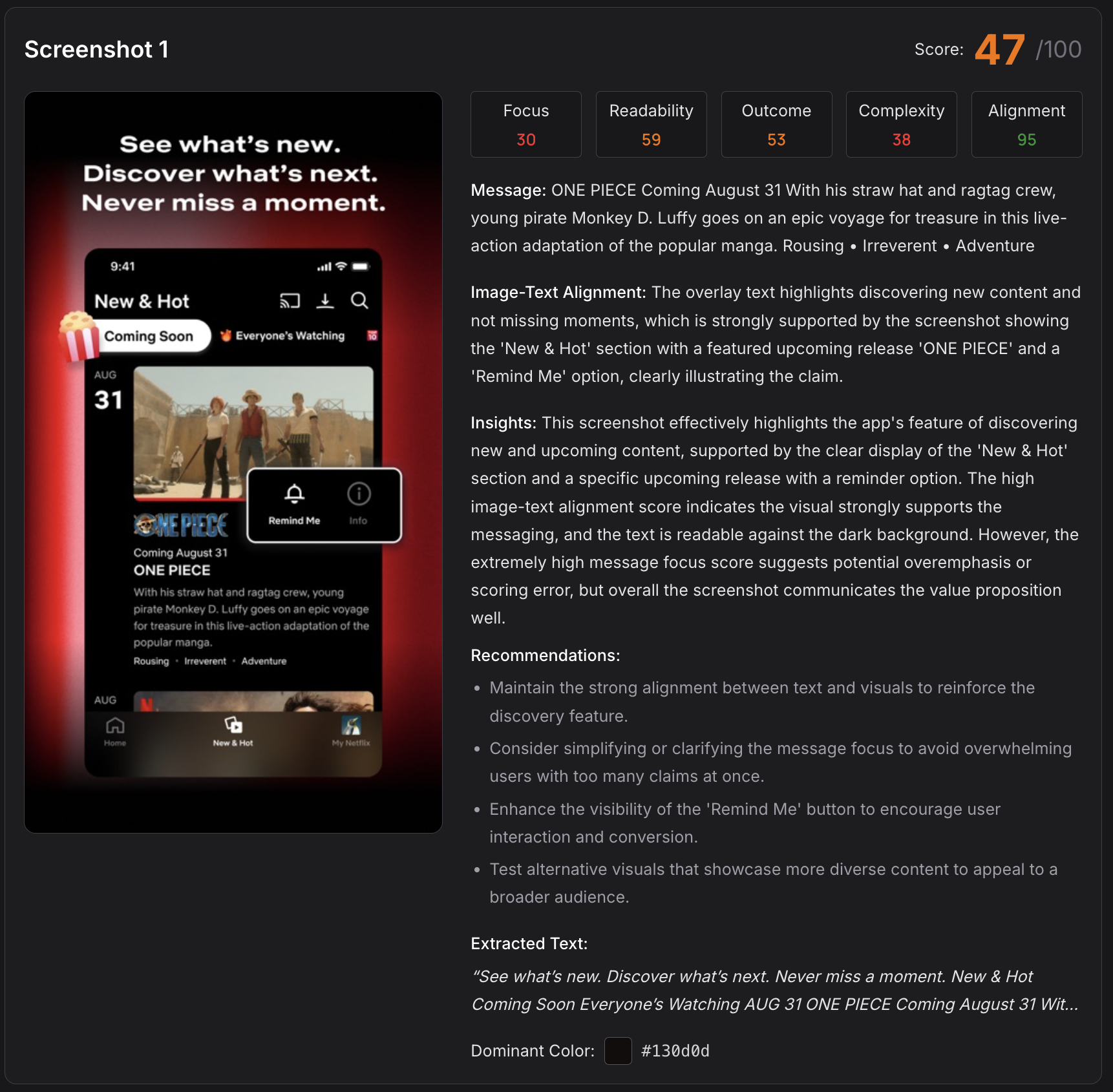
The Screenshot Engine evaluates three primary dimensions (Clarity, Coverage, and Consistency), each scored 0 to 100. Under the surface, it runs a multi-tier analysis:
- A preprocessor extracts text, measures visual complexity, and profiles color usage
- Base modules score each screen for message focus, text readability, and outcome visibility
- Tier 1 through 3 aggregation produces final scores with P0/P1/P2 priority classification
It classifies each screenshot as outcome-led (showing what the user achieves), feature-led (showing what the app does), or aesthetic-only (looking pretty without communicating value). It also checks whether the text overlaid on screenshots aligns with the imagery beneath.
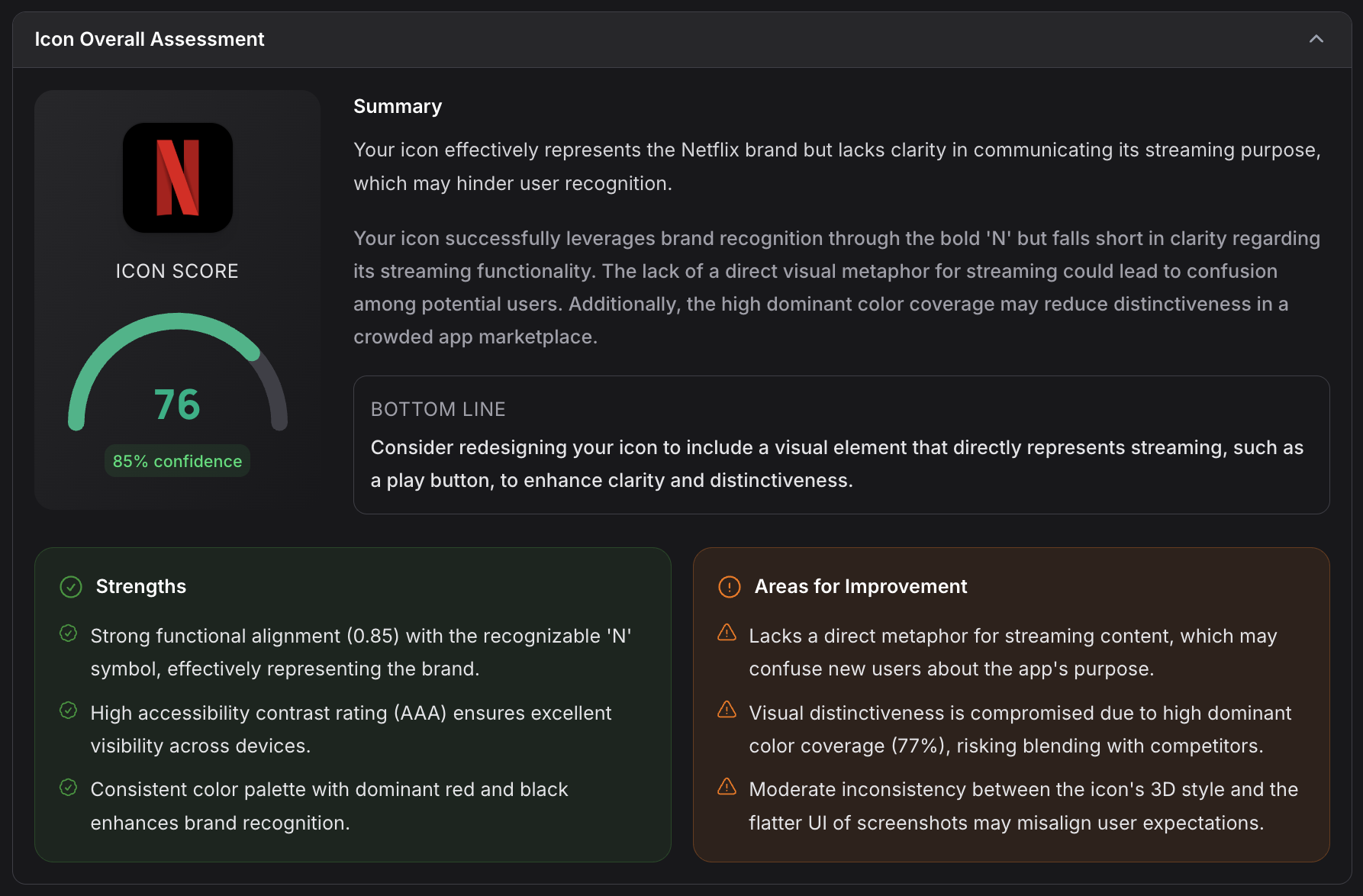
4. Icon Engine
Your icon appears at 29×29 pixels in many store contexts. Most icon “analysis” never accounts for this.
The Icon Engine scores seven metrics: Visual Clarity, Visual Distinctiveness, Brand Clarity, Competitive Color Uniqueness, Competitive Shape Differentiation, Competitive Visual Strength, and Competitive Positioning. Every evaluation happens at actual thumbnail rendering sizes.
Under the hood, it performs dominant color detection (RGB and hex), measures visual complexity using Shannon entropy and edge density, identifies medallion and focal point regions with bounding box analysis, and compares all of this against your top five competitors. The relevant question goes beyond whether your icon looks good in isolation. It’s whether your icon stands out next to the specific apps it appears alongside in the store.
5. Sentiment Engine
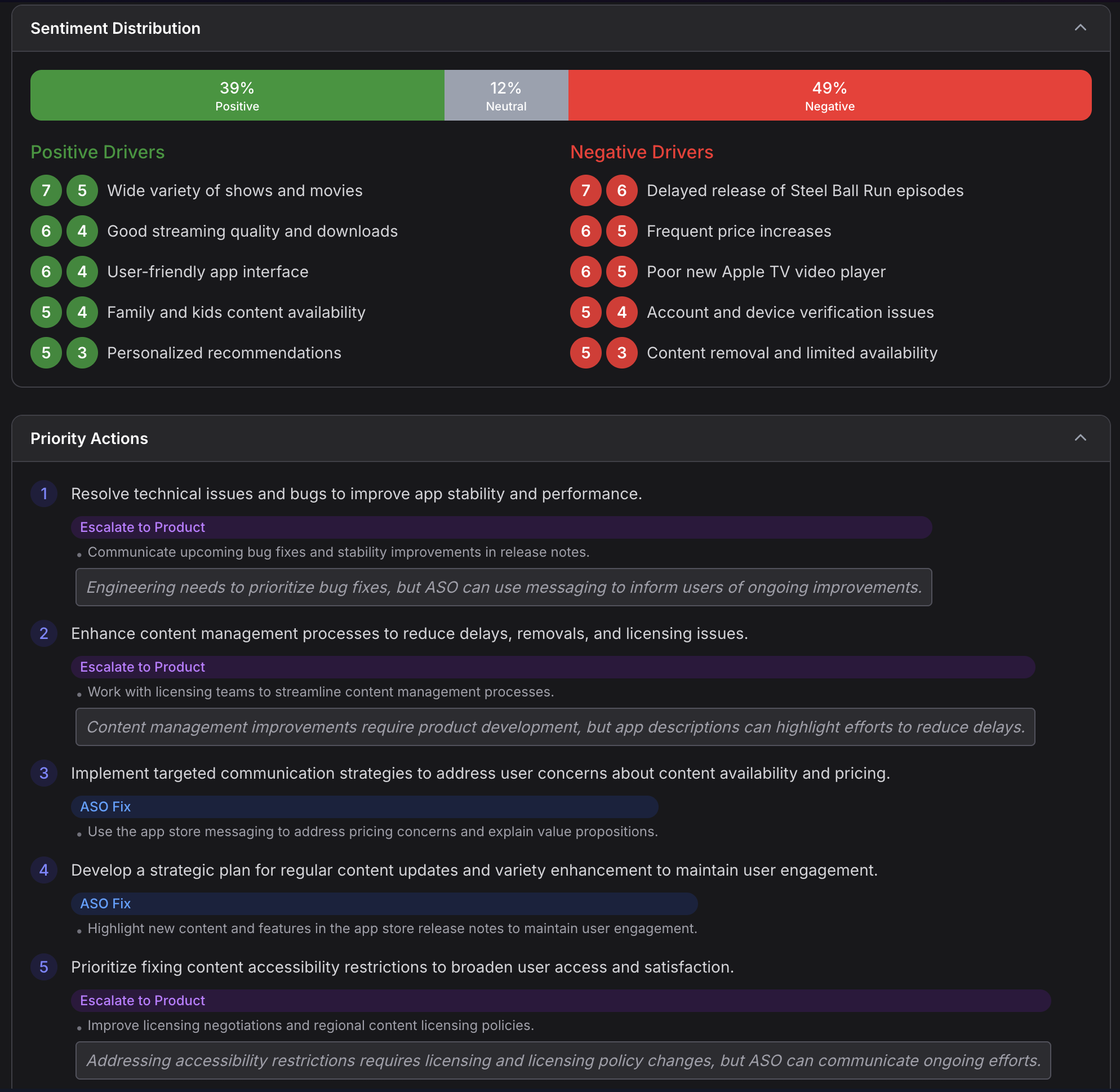
The Sentiment Engine ingests up to 10,000 reviews and performs 12-month trend tracking with feature-level sentiment mapping.
It surfaces green flags (strengths your reviews consistently praise) and red flags (critical issues that could tank conversion). The analysis breaks down sentiment both temporally (is satisfaction trending up or down?) and topically (what specific features or experiences drive positive and negative reactions?).
The engine maintains a trust state: listings with 30 or more reviews receive a full scored analysis, those under 30 get a provisional assessment, and brand-new listings are flagged as not yet scorable. No false confidence from thin data.
6. Competitor Discovery
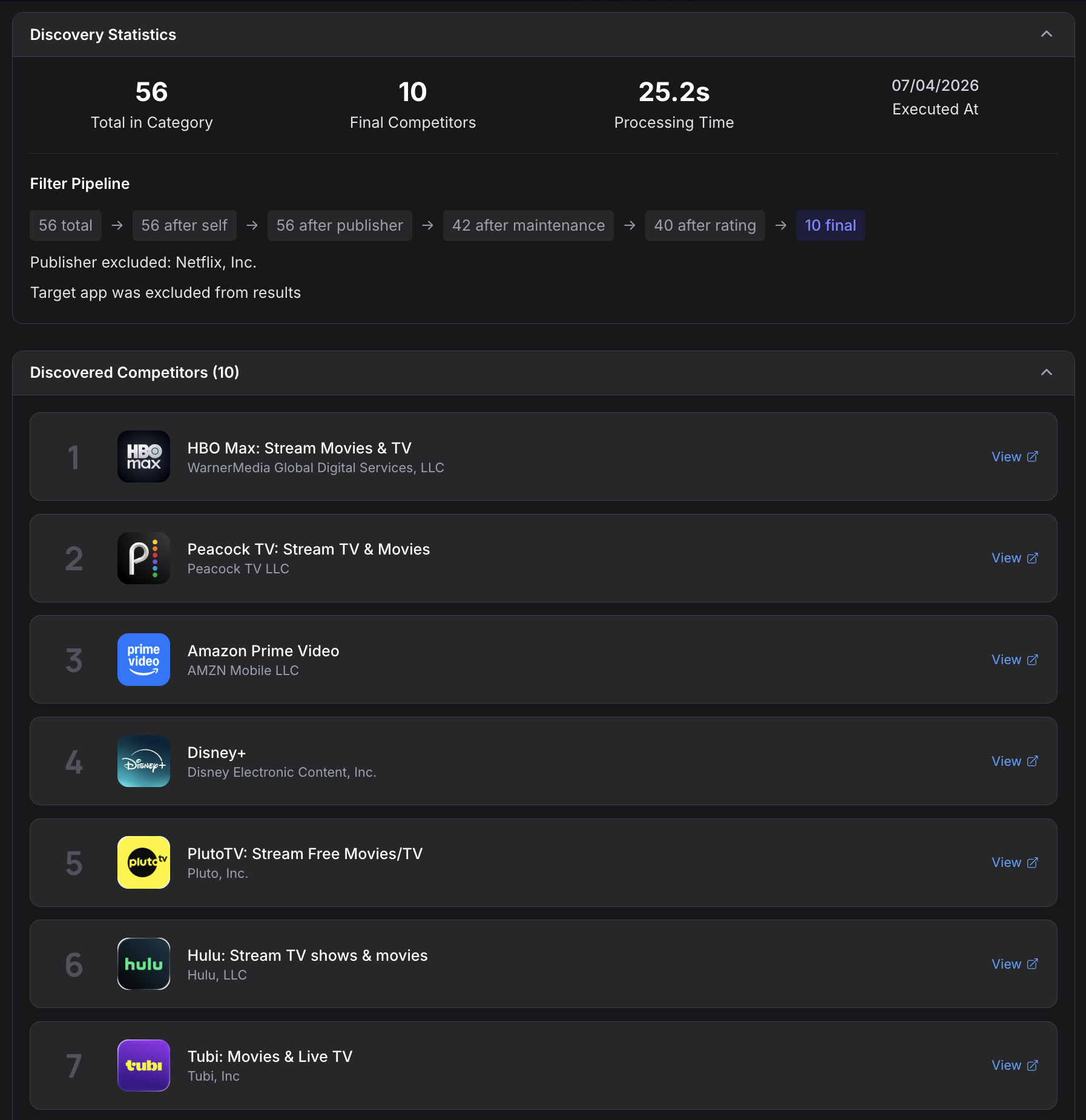
Before most engines can do their work, they need to know who your real competitors are. The Competitor Discovery engine handles this automatically.
It queries store APIs through SearchAPI, using keyword-based discovery to identify apps competing for the same search terms. It then curates a set of ten active, well-rated competitors ranked by install volume.
This competitor set feeds directly into the Icon, Keyword, and AI Discoverability engines, ensuring every competitive comparison is grounded in actual market data rather than assumptions.
7. AI Discoverability Engine
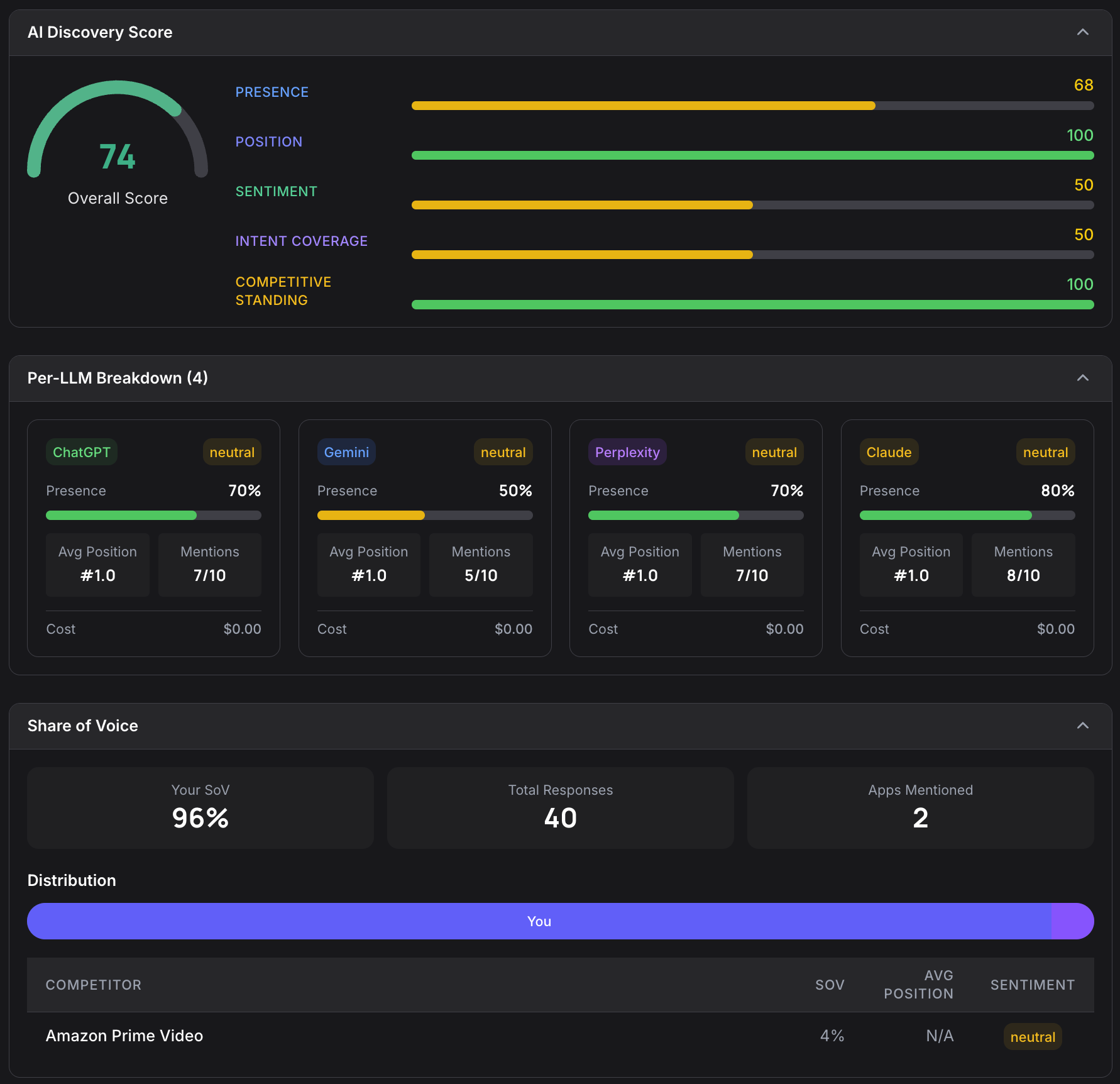
With AI-powered app recommendations becoming a meaningful discovery channel, we built an engine specifically to measure how visible your app is to large language models.
The AI Discoverability Engine generates up to 20 category-relevant prompts: the kinds of questions a real user might ask an AI assistant. It then queries ChatGPT, Claude, Gemini, Perplexity, and Google AI Overview, running each prompt multiple times per model to account for response variability.
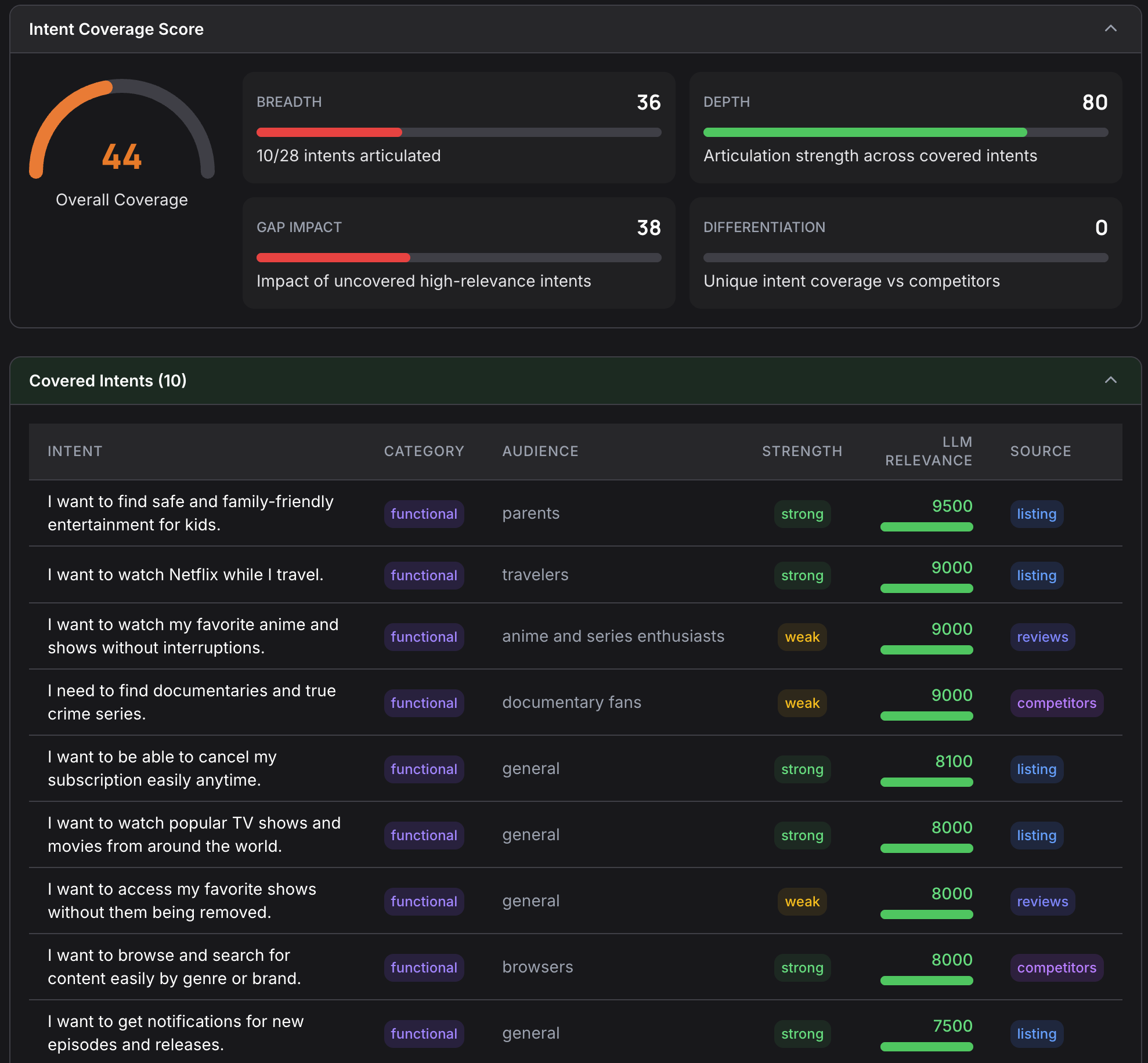
The engine parses which apps each model recommends, computes your Share of Voice relative to competitors, measures Intent Coverage (how many relevant user intents surface your app), and produces a final 0-to-100 discoverability score.
8. Intent Mapping Engine
The Intent Mapping Engine maps your app listing to the user problems it actually solves. This is distinct from keyword analysis. Keywords tell you what people search for; intent mapping tells you what people need.
By analyzing your listing through an intent lens, this engine reveals gaps that competitors haven’t filled. It bridges traditional keyword-based ASO with the intent-based discovery that AI assistants use, giving you a strategic view of where your listing has untapped opportunity.
9. Policy Checker
The Policy Checker scans every text field in your listing for compliance risk before Apple or Google can reject it. It works in two phases: static rules first match prohibited terms and common misleading claims per platform, then an AI model catches competitor trademark references in context, distinguishing “Swift” the adjective from Swift the Apple framework.
Every flag carries a severity that reflects platform and field. Enforcement is stricter on titles, subtitles, and the keywords field, where a prohibited term or misleading claim blocks a submission. The same term in a description is usually only a warning. Catching these issues in the audit is far cheaper than a rejection that lands three days after you submit.
10. Localization Engine
The Localization Engine checks configured listing locales for market-specific gaps. It looks beyond literal translation and evaluates whether each locale has the metadata, creative fit, and cultural context needed to compete in that market.
For global apps, this prevents the common pattern where the primary locale gets real optimization while secondary markets carry thin or literal copy that leaves ranking and conversion gains unrealized.
How It All Fits Together
All ten engines run in parallel. This is possible because each engine maintains its own cache layer in Firestore, with inputs hashed via SHA-256 and results stored with a seven-day TTL. If you’ve audited a competitor recently and that competitor hasn’t changed their listing, cached results are reused, which keeps audit times fast and costs predictable.
Every engine tracks its own computational cost through a shared CostAccumulator, giving us (and eventually you) full transparency into what each analysis costs. If an external service is temporarily unavailable, engines degrade gracefully rather than failing the entire audit.
The outputs from all ten engines feed into the ASO Readiness Score, weighted as follows:
- Keywords: 15%
- Storetext: 15%
- Screenshots: 15%
- Sentiment: 15%
- AI Discoverability: 12%
- Intent: 12%
- Localization: 8%
- Icon: 8%
The remaining two engines (Competitor Discovery and Policy Checker) don’t carry independent score weights. Their output feeds into and informs the eight scored engines: competitor data shapes keyword and icon analysis, and the policy check surfaces compliance risks before they reach the stores.
For presentation, these roll up into four pillars: Discoverability (are you findable?), Conversion (do you convert visitors to installs?), Trust/Risk (do reviews and claims support your listing?), and AI Discoverability (do AI assistants recommend you?).
What Happens After the Second Audit
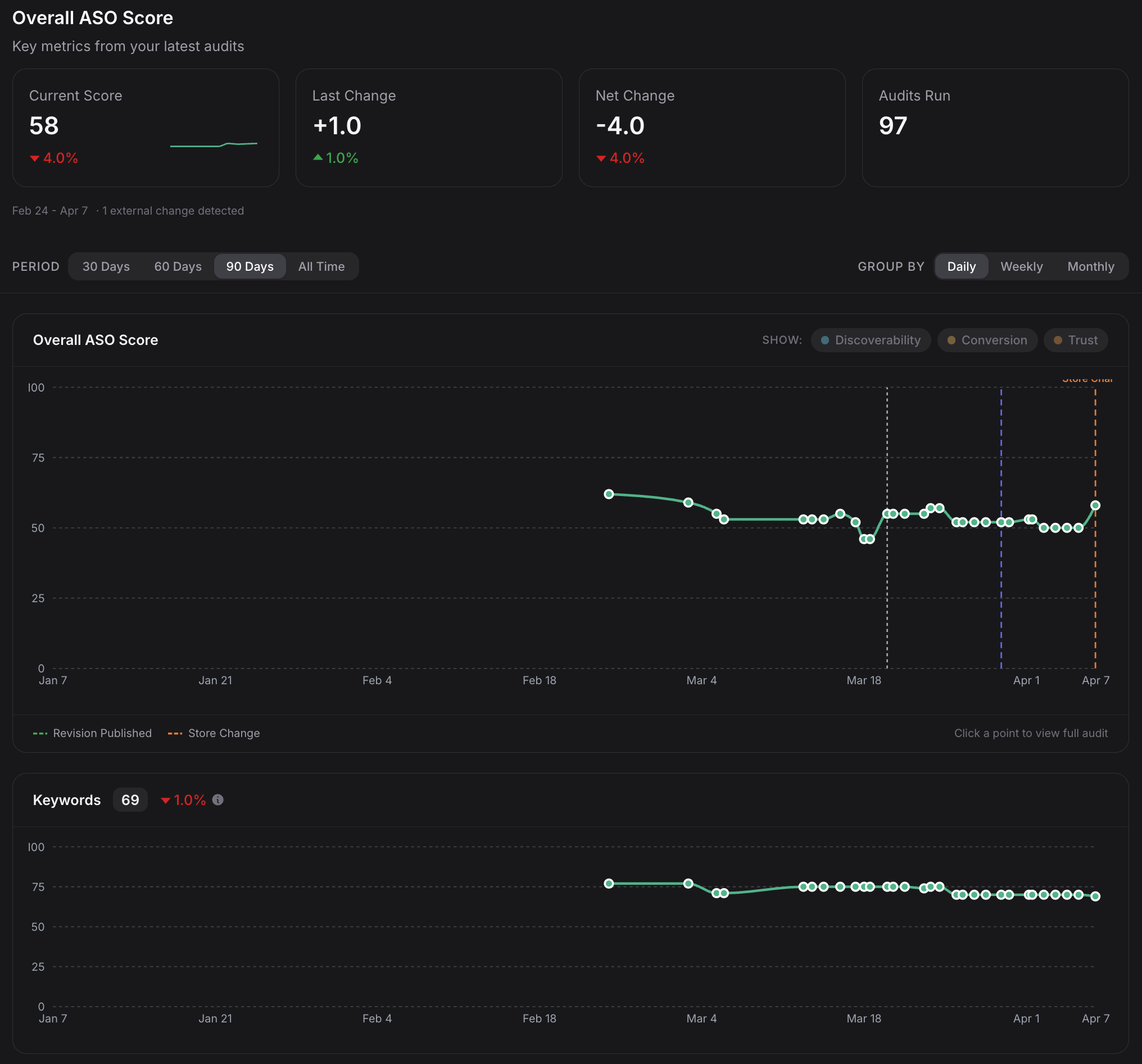
A single audit tells you where your listing stands right now. ASO work is iterative, though: you optimize, ship, measure, repeat. Score History records every audit you run on a listing and turns the sequence into trend lines for the overall ASO Readiness Score, each pillar, and every individual engine.
The per-engine view is where the tactical value lives. If your overall score drops ten points, the top-line number does not tell you whether Keywords regressed, Sentiment soured on a wave of negative reviews, or Screenshots swung after a creative refresh. Score History does. Each engine carries its own trend line, so you can see exactly which dimension moved and when.
Every audit also computes a per-field content fingerprint of your listing (title, subtitle, description, keywords, icon, screenshots). When consecutive fingerprints differ, Apptonomy records exactly which fields changed and attributes the change to the specific revision that produced it. If the fingerprints shift without a matching Apptonomy revision, the system flags it as an external store change, meaning someone (or something) touched the listing outside the platform.
Why Expert Prompts Matter
Every prompt in the system encodes specific ASO decision logic. Each one is an expert-crafted, versioned artifact reflecting years of ASO consulting experience translated into reproducible analysis.
When we say the Storetext Engine evaluates cross-field coherence, there’s a specific prompt that defines what coherence means in the context of app store metadata, what signals indicate poor coherence, and how to weight different types of misalignment. When the Screenshot Engine classifies a screen as “outcome-led,” there’s a prompt that defines exactly what outcome-led means in visual ASO terms.
These prompts are versioned and updated as store algorithms change. When Apple or Google changes how they weight certain metadata fields or display search results, our prompts get updated to match.
The Anti-Wrapper Argument
A “wrapper” takes a foundation model’s general capability and slaps a UI on it. You could replicate a wrapper by copying the prompt into ChatGPT.
You cannot replicate an Apptonomy audit in ChatGPT. You would need access to Google Ads’ search volume data, Apple Search Ads’ popularity metrics, store search APIs, vision models configured for screenshot analysis at specific dimensions, five separate LLMs queried with controlled prompts for AI discoverability measurement, and a library of prompts encoding domain-specific ASO logic refined over years.
The foundation models are a component. The system (the engines, the data pipelines, the prompt engineering, the caching, the cross-engine data flow, the scoring methodology) is the product.
Ten engines. Multiple external data sources. Expert-crafted prompts. One score you can actually trust, because you can see exactly how it was derived.
Curious what your listing looks like through all ten engines? Paste your app URL and find out at apptonomy.ai.